Automatic test recording on IBM i
X-Replay provides everything you need to automatically record test cases:
- Specify which screen elements to test: one, several or all
- Includes intelligent object UI recognition

X-Replay provides everything you need to automatically record test cases:
Automatically-generated test scripts can be edited with while loops and other logic:
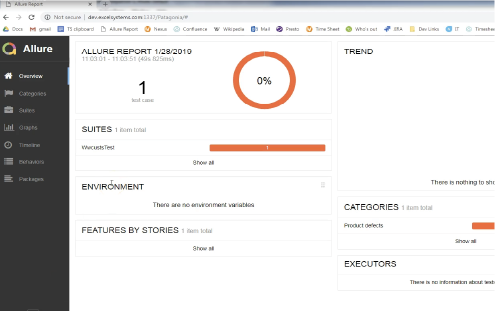
Dashboard provides everything you need to view detailed test results, individually or in aggregate:
X-Replay helps organize your screen testing efforts with powerful test management functionality:
X-Replay uses field names to identify the screen elements that are being tested:
X-Replay lets developers make code changes rapidly and with confidence. By providing a solution to quickly and automatically validate the changes, X-Replay eliminates manual testing and ensures a robust, repeatable testing method.
End users, partners and employees all expect a smooth user experience, so developers need to make changes to keep pace with expectations and deliver an intuitive interface. X-Replay ensures high quality no matter the number of modifications.
X-Replay uncovers and highlights problems automatically, using a convenient dashboard to show exactly where in the code the issue occurred. Developers no longer need to hunt down issues through trial and error.
Test an entire interface, one or more screens or just certain elements in a screen — it’s entirely according to developer needs. Modify and re-run tests cases, view issues in the dashboard and easily integrate X-Replay functionality with other testing solutions.
Fresche has decades of experience developing, testing and modernizing applications in IBM i environments. We can help you with all your testing needs: UI and regression testing, data anonymization, test data management, Code Coverage reports, etc. Let us know how we can help!