
If your IBM i green screens still support critical parts of the business, changing them can be difficult to prioritize. In many cases, the issue is not the application logic itself. It is the interface people use every day. Green screens can slow routine work, make training more demanding, and limit how easily IBM i applications connect with newer tools and workflows.
That’s why IBM i green screen modernization often starts at the UI layer. You can improve usability, support browser-based access, and reduce friction for users without rewriting the RPG or COBOL logic that still works.
In this article, you will learn what IBM i green screen modernization involves, why many teams start with the user experience, how to evaluate the right tools, and a five-step approach to getting started.
What is IBM i Green Screen Modernization?
IBM i green screen modernization is the process of converting 5250 terminal screens into modern browser-based interfaces while preserving the underlying application logic and core business rules.
In practical terms, that means you can:
- Improve usability
- Simplify navigation
- Make training easier
- Support browser-based access
- Create a better path for integration
For many organizations, this is the fastest and lowest-risk way to modernize IBM i green screens and start improving how users interact with critical applications.
For a detailed business case for IBM i green screen UI modernization, see our guide: “The Business Case for IBM i Green Screen UI Modernization.”
Why Delaying Green Screen Modernization Creates Everyday Problems
Most IBM i teams aren’t ignoring modernization; they’re being practical about it. Their applications are still running critical parts of their business, and nobody wants to create risk just to make the interface look newer. The challenge is that while the core application may still work well, the user experience around it can start to hold people back.
That’s usually where AS/400 green screen modernization becomes worth a closer look. Not because the system has failed, but because the business needs more from it than the current interface can easily support.
Users spend more time on routine tasks.
Green screen workflows often depend on function keys, repeated screen changes, and memorized commands. People who use them every day may be comfortable with that pattern, but even experienced users spend extra time navigating around limitations that a more modern interface could remove.
Simple changes can make a real difference, including:
- Menus and tabs instead of memorized commands
- Clickable actions instead of function-key dependence
- Auto-complete and drop-down fields for faster entry
- Cleaner layouts that reduce unnecessary steps
Individually, these changes may seem minor. But across repeated tasks and larger teams, they can have a noticeable impact on speed, accuracy, and daily usability.
Training takes more effort than it should.
When an application depends heavily on tribal knowledge, onboarding becomes harder. New employees need more support, and experienced team members often become the default source for tasks that should be easier to learn and repeat.
Knowledge transfer also becomes more difficult over time. As experienced users and IBM i specialists retire, teams can lose workflow knowledge that was never fully documented.
That’s one reason IBM i UI modernization can be so valuable. A better interface makes applications easier to navigate, easier to understand, and easier to use confidently, even for people who didn’t grow up working in green screens.
Integration gets harder to support.
As organizations invest in web tools, analytics, portals, and other digital initiatives, the interface layer becomes increasingly important. A terminal-based experience may still support the core application, but it can make broader modernization efforts harder to extend and support.
When teams modernize IBM i green screens into browser-based interfaces, they are often doing more than improving usability. They are creating a more flexible starting point for future integration and modernization work.
The project starts to feel bigger than it needs to be.
This is where many teams get stuck. The conversation jumps from “we need a better user experience” to “we must replace everything,” and suddenly a manageable improvement starts to look like a years-long transformation project.
In reality, that is not the only option. A phased approach to IBM i modernization without downtime gives teams a way to move forward carefully, improve the experience for users, and make progress without taking on more change than the business is ready for.
A Practical Approach: Start With the User Experience
For IBM i organizations, the most effective place to start is the user experience. That’s not because the interface is the only thing that matters, it’s because improving the interface can deliver meaningful results without forcing immediate change to the underlying application logic.
This approach often makes the most sense when:
- The business logic is still solid
- Users struggle more with the interface than the application itself
- Leadership wants measurable progress
- The team wants to avoid unnecessary risk
- A full rewrite is not the right first step
5 Steps to Modernize IBM i Green Screens Without Downtime
Every successful modernization effort starts with a strategic plan focused on practical outcomes. Instead of simply updating the look of green screens, the goal is to improve the experience for users, protect business continuity, and move forward at a pace your team can realistically support.
The five steps below provide a clear framework for how to approach UI modernization without disrupting day-to-day operations.
1. Assess the Current Environment
Start by looking at how people use the system today. Which applications support the most important parts of the business? Which workflows are used most often? Where are users losing time, repeating steps, or relying on workarounds? This gives you a clearer picture of where modernization can have the most immediate business value.
Focus on questions like:
- Which screens support the most important business processes?
- Where do users run into friction most often?
- Which workflows take more steps than they should?
- What dependencies exist with other applications or data sources?
- Which screens could deliver quick wins if improved first?
2. Prioritize High-Value Screens First
Trying to modernize everything at once usually slows the whole effort down. It’s more effective to start where the need is clear and the impact is easy to see. Good candidates often include:
- Order entry
- Inventory inquiry
- Customer service workflows
- Repetitive data entry tasks
- Approval-based processes
Starting with high-value screens helps teams show progress early, build credibility, and create momentum for the next phase.
3. Choose an Approach That Preserves What Already Works
Many IBM i applications still support core operations extremely well. That does not mean the user experience has to stay the same.
In many cases, the better path is to modernize the interface while keeping the underlying business logic in place. This allows teams to improve usability without taking on a larger redevelopment effort before it is necessary.
When evaluating IBM i UI modernization tools, look for an approach that supports:
- Browser-based access without emulator dependence
- Modernization without changing existing source code
- Reuse of proven RPG, COBOL, or CA 2E logic
- Phased deployment with minimal disruption
- Faster delivery for high-priority screens first
- Usability improvements that go beyond simply reproducing green screens in a browser
4. Test With Real Users
Modernization only works if it improves how people actually do their jobs. Testing should involve the teams who use the application every day, not just the people building the new interface. Validate areas like:
- Navigation and screen flow
- Data entry accuracy
- Ease of use
- Response time
- Integration points
- User adoption
Testing with real users helps confirm that the new experience is not only functional, but also genuinely better.
5. Roll Out in Phases
A phased rollout helps reduce risk and makes change easier to manage. Users have time to adjust, IT teams have room to refine the experience, and the business can keep moving without unnecessary disruption.
As you roll out, track practical measures such as adoption rates, task completion time, training effort, error reduction, user feedback, and support requests. That information helps teams improve the next round of modernization work and make better decisions as the project moves forward.
How to Choose the Right IBM i UI Modernization Tool
Not every IBM i UI modernization tool is built for the same purpose. Some simply replicate green screens in a browser, while others create a more usable, web-based experience that keeps the underlying application logic in place.
When evaluating your options, focus on these criteria:
- Speed to Value: You should be able to make progress in a reasonable timeframe. If a tool requires a long, complex implementation just to get started, it may slow the project before you see meaningful results.
- Business Continuity: The modernization effort should fit into a production environment without creating unnecessary risk. Look for tools that support phased deployment and let you modernize without interrupting day-to-day operations.
- Ease of Development: If your team does not have deep web development capacity, the tool should be practical to work with. Low-code or efficient development options can help teams move faster without overloading already stretched resources.
- Better User Experience: A modern interface should do more than mirror old screens in a browser. It should make workflows easier to navigate, easier to learn, and easier to use.
- Preservation of Business Logic: This is one of the most important criteria. If the application logic still works, the tool should help you preserve it. The goal of AS/400 green screen modernization is to improve the experience without forcing a rewrite of stable RPG, COBOL, or CA 2E programs unless you decide that is the right next step.
What IBM i Modernization Can Look Like With Presto
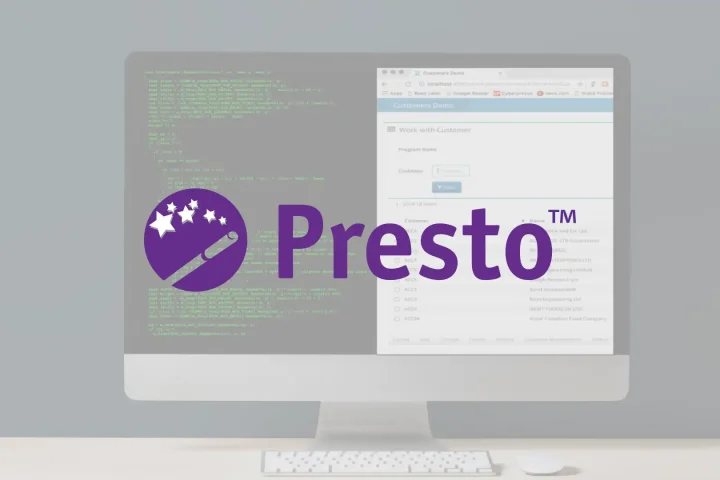
One way to apply those criteria in practice is to look at a tool designed to improve the IBM i user experience without forcing changes to proven application code. Presto by Fresche Solutions is an IBM i modernization tool that converts green screens into web applications while preserving the underlying RPG, COBOL, or CA 2E logic.
Quest Medical, a leader in sterile medical devices, shows what that approach can look like in practice. When its ERP GUI became unsupported, the company used Presto to web-enable more than 2,000 IBM i green screens within its ERP system without rewriting thousands of lines of RPG or DDS code.
That gave Quest Medical a way to improve usability and access without replacing a stable application or turning the project into a much larger redevelopment effort.
As Jim Underwood, IT Manager at Quest Medical, said:
“My colleagues and I have many years of programming in RPG and COBOL and absolutely no web development experience. So to implement a 100% web enabled solution for our ERP system in a very short time is extraordinary. The end users are also happy, which is a very good thing.”
– Jim Underwood, IT Manager at Quest Medical
For IBM i teams trying to modernize without taking on a full rewrite, that is the appeal of Presto: a better user experience without giving up business logic that already works. If you’d like to explore what that could look like in your own environment, you can start a free trial of Presto.